1.)
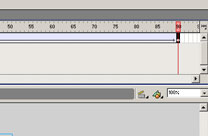
Get ready there will be alot of animating in this lesson,
first turn the cloud into a movie clip, then give it
90 frames and tween it a little to the right. This will
show the cloud moving slowly, as they do.
----------------------- -----------------------
2.)
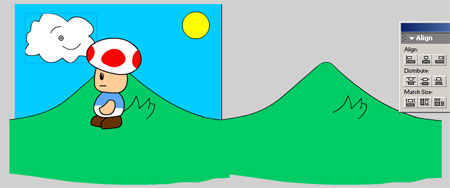
Next is basically taking
the background you made and adding it to the right as
shown above. Turn that into a movie clip.
----------------------- -----------------------
3.)
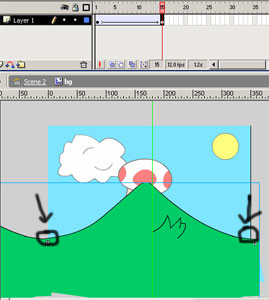
Insert Keyframe on frame
15, then tween the frames. Then on frame 15 move your
background all the way to the left, to where its equal
to look like a good loop. See example above.
----------------------- -----------------------
4.)
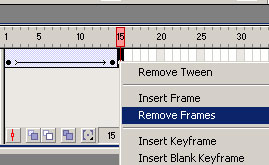
Last but not least, but
very important. Insert Keyframe on frame 14 and Remove
Frame on frame 15. And there you go a solid looping
background..
-----------------------
-----------------------
5.)
Final product, a looping
background with an animated character. Enjoy your first
animated cartoon. Remember to keep practiceing the flash
you learn here and you will become a pro. Oh yea, and
make sure your character is facing the right way for
when shes walking. :)