1.)
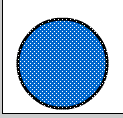
Create a shape on layer 1.(You can import images too
for this as well, but for the purposes of this tutorial,
I'll use this circle.) Drag a box around your shape
to select it and go to modify--->group (Control+G)
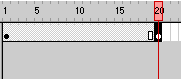
Next, create a keyframe by going to Insert--->keyframe(F6)
at frame 20. (However you can use whatever frame you desire.)
--------------
--------------
2.)
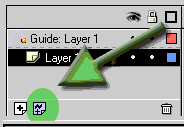
Now that I've got my shape I want to move, I'll make a
new guide layer (the guide layer is the button to the
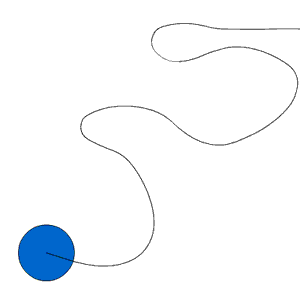
right of the new layer button,) here and I'll draw
a line using the pencil tool to make an unclosed line.
--------
--------------
3.)
Now that I've got my path drawn, I'll select the frame
in the motion guide layer in the timeline and go to frame
20 on the timeline and go to Insert> Keyframe(F6)
to insert a new keyframe there.
--------
--------------
4.)
Now, go back to frame 1 on layer 1 and drag your shape
to the beginning of your path you'll see a registration
mark (Looks like an O in the middle of your shape)
drag it on top of the line.
5.) Go to your last keyframe, in my case, frame 20 on
layer 1. Drag your shape to the end of the line you drew.
Make sure your registration mark lines up with the end
of this line. Create a motion tween on layer 1 by going
to modify>motion tween.