1.)
Create some sort of artwork on the stage, or import some(cntrl+R)
For my example, I'm using this anime character's head.
--------------
--------------
2.)
Select the entire object and press Control+G to group
them, or go to Modify-Group. Next, select your
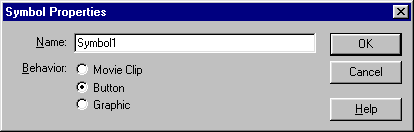
grouped object by clicking on it and go to Insert>Convert
to Symbol(F8). Convert the object to a button symbol,
and feel free to name it whatever you want.(I named
her Shaggy)
--------
--------------
3.)
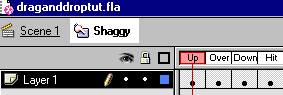
Double click on your new button, add a keyframe(F6) for
each button state. If you want to have something happen
to the button in each state, make those changes now. Okay,
now go back to your scene(Mine happens to be scene 1)
and single click on your draggable object.
--------
--------------
4.)
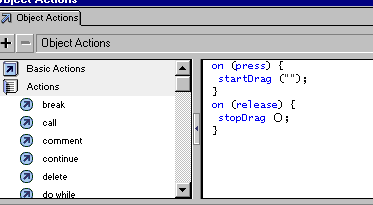
Go to your instance panel(Control+I) and select the objects
panel. Go to the actions book, start drag, uncheck the
release button and check press instead. With the code
in the right selected, go to stop drag. Your code should
look like this. (above)
--------
--------------
5.)
The final step is probably the easiest. Make a new movie
clip(Control+F8) and drag your button from the library
into the movie clip. PUBLISH your done.